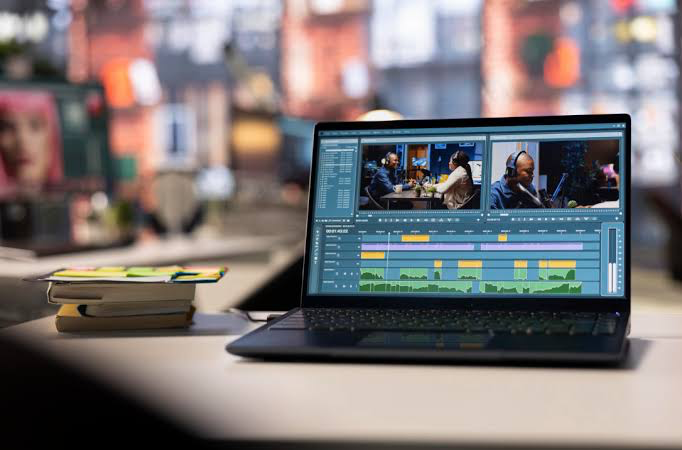
Video content has become an essential part of marketing, social media, education, entertainment, and business. Whether you are creating YouTube videos, Instagram Reels, promotional content, tutorials, or professional films, choosing the right video editing software can make a major difference. In 2026, editors have access to powerful tools with advanced effects, color grading, audio editing, and AI-powered features.
There is no single video editor that is perfect for everyone. The best choice depends on your experience, budget, computer, and the type of videos you want to create. Here are some of the best video editing software options available today.
1. Adobe Premiereh Pro
Adobe Premiere Pro remains one of the leading choices for professional video editors. It provides a powerful timeline-based editing system, extensive media management, professional audio tools, color correction, effects, transitions, and support for a wide range of video formats.
One of Premiere Pro’s biggest advantages is its integration with other Adobe applications such as After Effects, Photoshop, and Audition. This makes it particularly useful for agencies, professional creators, filmmakers, and businesses that need advanced production workflows.
Adobe has also continued adding AI-powered features. Current versions include tools such as AI Object Mask, Media Intelligence, text-based editing, and Generative Extend, helping editors complete complicated tasks more efficiently.
Best for: Professional editors, agencies, filmmakers, and advanced YouTube creators.
2. DaVinci Resolve
DaVinci Resolve is one of the best choices for people who want professional editing capabilities without immediately paying for expensive software. Its free version provides powerful editing, color grading, visual effects, and audio post-production tools. Blackmagic Design describes its editing system as a professional non-linear editor suitable for projects ranging from online content to feature films and television.
Its color-grading capabilities are particularly well known, making it popular among filmmakers and professional colorists. The software also includes Fusion for visual effects and Fairlight for advanced audio production.
The main disadvantage is that beginners may need some time to understand its extensive interface and professional features.
Best for: Beginners who want to learn professional editing, filmmakers, YouTubers, and color-grading enthusiasts.
3. Final Cut Pro
Final Cut Pro is an excellent option for Mac users. Developed by Apple, it is designed specifically for the company’s hardware and operating system, offering a smooth editing experience and strong performance.
Its interface is relatively easy to understand, while still providing professional tools for editing, effects, audio, and color. It is especially attractive to creators who already use Mac computers and want a fast, reliable editing workflow.
Final Cut Pro is particularly suitable for YouTube creators, filmmakers, and professional editors working within the Apple ecosystem. Current industry comparisons continue to highlight it as a strong choice for Mac users.
Best for: Mac users, YouTubers, filmmakers, and professional content creators.
4. CapCut
CapCut has become a popular choice for social media creators because it focuses on fast and simple video editing. It is especially useful for TikTok-style videos, Instagram Reels, YouTube Shorts, and other short-form content.
Its beginner-friendly interface allows users to quickly trim clips, add text, music, transitions, captions, effects, and other elements without needing extensive editing experience. This makes it a practical option for people who want to create attractive social media videos quickly.
Compared with professional software such as Premiere Pro and DaVinci Resolve, CapCut is more focused on speed and accessibility than complex professional workflows.
Best for: Beginners, social media creators, short-form videos, and quick edits.
5. Filmora
Filmora is another beginner-friendly video editing program. Its simple interface makes it easier for new editors to learn basic editing techniques while still providing useful effects, transitions, titles, audio tools, and other creative features.
Filmora can be a good middle-ground option for users who find professional applications too complicated but want more control than basic mobile editing applications.
Best for: Beginners, students, YouTubers, and casual creators.
How to Choose the Best Video Editing Software
Before choosing an editor, consider your specific requirements. If you want professional editing and plan to work with clients, Adobe Premiere Pro is an excellent choice. If you want powerful professional tools with a strong free option, DaVinci Resolve is difficult to overlook.
Mac users who want optimized performance can consider Final Cut Pro, while creators mainly producing social media content may prefer CapCut. Beginners who want an easy desktop editor can also consider Filmora.
Your computer hardware is another important factor. Professional video editing, especially 4K projects, can require a powerful processor, sufficient RAM, fast storage, and a capable graphics card.
Final Verdict
The best video editing software depends on your goals. Adobe Premiere Pro is an excellent professional option, DaVinci Resolve offers outstanding value and professional capabilities, Final Cut Pro is a strong choice for Mac users, CapCut is ideal for fast social media content, and Filmora is suitable for beginners.
If you are just starting your editing journey, choose software that matches your current skill level and learn it consistently. As your skills improve, you can move toward more advanced tools. The most important thing is not simply choosing the most expensive software—it is learning how to use your chosen editor effectively to tell better stories and create engaging videos.