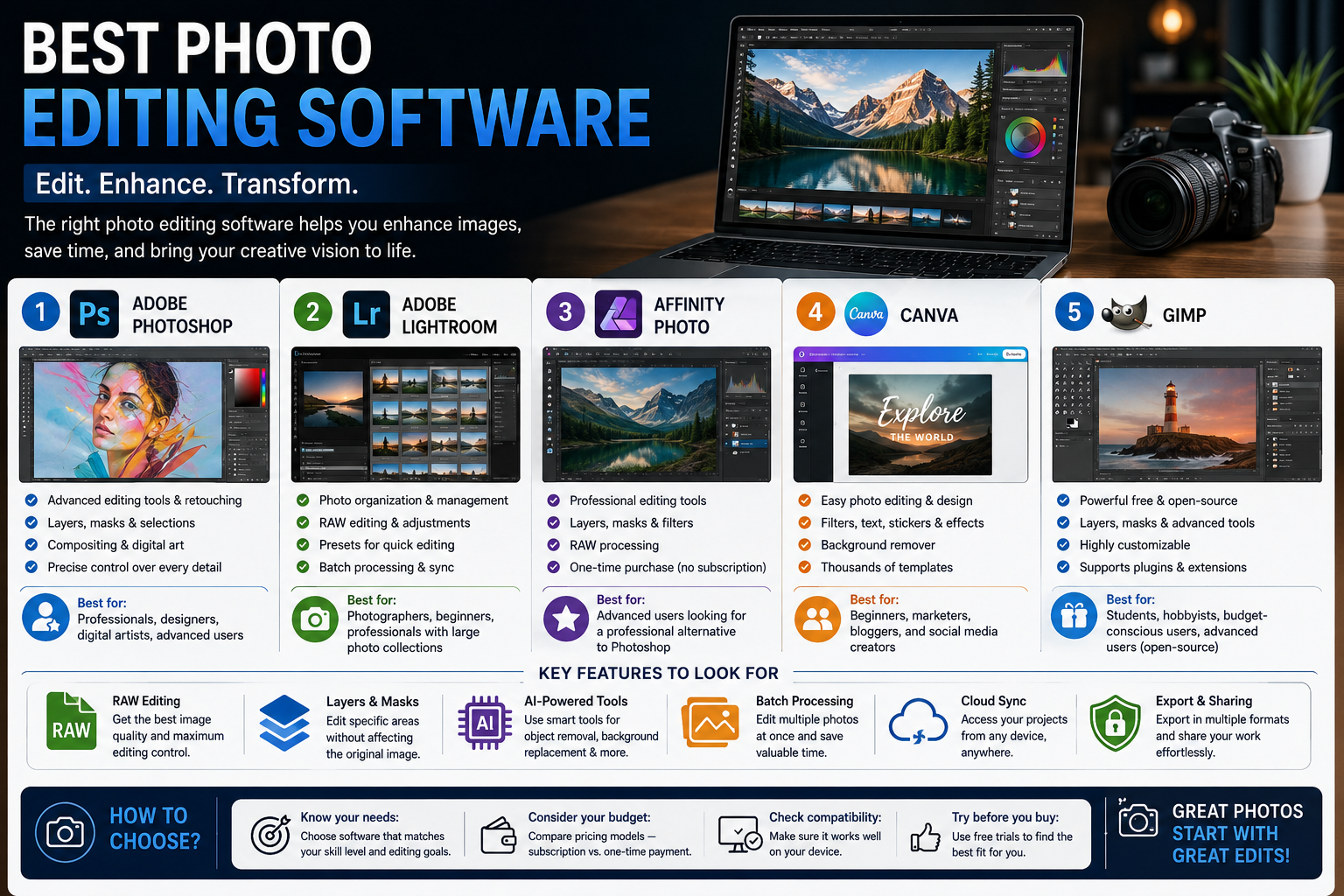
Photo editing has become an essential part of modern digital life. Whether you are a professional photographer, social media creator, blogger, marketer, or simply someone who enjoys taking pictures, the right photo editing software can transform an ordinary image into something impressive. From basic adjustments such as brightness and cropping to advanced techniques such as masking, retouching, and color grading, modern editing tools offer powerful ways to improve photographs.
With so many applications available today, choosing the right one can be difficult. The best photo editing software depends on your experience, budget, device, and the type of work you want to create. Below are some of the most popular options and what makes each one useful.
1. Adobe Photoshop – Best for Professional Editing
Adobe Photoshop is one of the most recognized photo editing applications in the world. It provides an extensive collection of tools for professional photographers, graphic designers, digital artists, and content creators.
Photoshop allows users to work with layers, masks, selections, filters, brushes, typography, and advanced retouching tools. These features make it suitable for everything from removing unwanted objects to creating complex compositions.
One of Photoshop’s biggest strengths is flexibility. Users can precisely control individual elements of an image instead of applying changes to the entire photograph. It is therefore particularly valuable for professional projects that require detailed editing.
Best for: Professional photographers, designers, digital artists, and advanced users.
2. Adobe Lightroom – Best for Photo Organization and Editing
Adobe Lightroom is designed especially for photographers who need to organize and edit large collections of photographs. Unlike Photoshop, Lightroom focuses heavily on photography workflows and efficient image management.
Users can adjust exposure, contrast, highlights, shadows, color, sharpness, and other settings. Presets can also help photographers apply consistent styles to multiple images.
Lightroom is especially useful for photographers who shoot hundreds or thousands of pictures and need an efficient way to organize, select, and process them.
Best for: Photographers, beginners, and professionals managing large photo collections.
3. Affinity Photo – Best Photoshop Alternative
Affinity Photo is a powerful editing application designed for users who want advanced capabilities without relying on Adobe’s ecosystem. It supports professional editing features such as layers, masks, selections, retouching, and RAW processing.
Its interface is designed for serious image editing while remaining accessible to users who are familiar with traditional photo-editing workflows.
For photographers and designers who want a professional alternative, Affinity Photo can be an attractive option.
Best for: Advanced users looking for a professional alternative to Photoshop.
4. Canva – Best for Simple Editing and Social Media
Canva is better known as a graphic-design platform, but it also provides convenient photo-editing features. Users can crop images, adjust colors, remove backgrounds, add filters, place text, and create social-media graphics.
Its biggest advantage is simplicity. Instead of learning a complicated professional interface, beginners can use templates and drag-and-drop tools to create attractive designs quickly.
Canva is particularly useful for businesses and content creators who need images for Instagram, Facebook, YouTube thumbnails, advertisements, blogs, and presentations.
Best for: Beginners, marketers, bloggers, and social-media creators.
5. GIMP – Best Free Photo Editing Software
GIMP, or GNU Image Manipulation Program, is a popular open-source image editor. It offers many advanced features found in professional editing applications, including layers, masks, filters, selection tools, brushes, and color adjustments.
Because GIMP is open source, users can download and use it without paying a traditional software subscription. It is also highly customizable through extensions and plugins.
The interface may take some time for beginners to understand, but users who invest time in learning it can perform sophisticated editing tasks.
Best for: Students, hobbyists, budget-conscious users, and advanced users who prefer open-source software.
Important Features to Look For
When selecting photo editing software, consider the features that match your needs.
RAW editing is important for photographers who want maximum control over image quality. RAW files contain more information than standard JPEG files, allowing greater flexibility during editing.
Layers and masks are essential for advanced editing because they allow changes to specific parts of an image without permanently affecting the original photograph.
AI-powered tools are becoming increasingly common. Features such as object removal, background replacement, automatic enhancement, and subject selection can significantly reduce editing time.
Batch processing is valuable when editing many photographs. Instead of adjusting every image individually, users can apply similar corrections to multiple files.
Cloud synchronization can also be useful for people who edit across computers, tablets, and smartphones.
How to Choose the Right Photo Editor
Start by considering your skill level. Beginners may prefer simple platforms such as Canva, while professional photographers may require the advanced controls available in Photoshop or Lightroom.
Next, consider your budget. Some applications use subscriptions, while others offer free or one-time purchase options. Free software such as GIMP can be an excellent choice for users who do not want to pay for editing tools.
Your device also matters. If you primarily edit photographs on a smartphone or tablet, choose software designed for mobile workflows. If you work with professional cameras and large RAW files, desktop software may provide a better experience.
Final Thoughts
Photo editing software gives creators the ability to improve, transform, and personalize their images. Photoshop remains a powerful choice for detailed professional editing, while Lightroom is excellent for photographers who need organization and efficient processing. Affinity Photo provides a strong professional alternative, Canva is ideal for quick and simple creative work, and GIMP offers powerful editing without a traditional software cost.
The best choice is ultimately the one that fits your workflow. Before committing to a tool, consider its features, learning curve, pricing, device compatibility, and the type of photography or content you create. With the right software and practice, even simple photographs can become polished, professional-looking images.